
Login Using Phone Number
You can securely access the Fuellox app using your mobile phone number. This method allows for quick and password-free authentication via a one-time verification code (OTP).
Follow the steps below to complete the login process using your phone number:
-
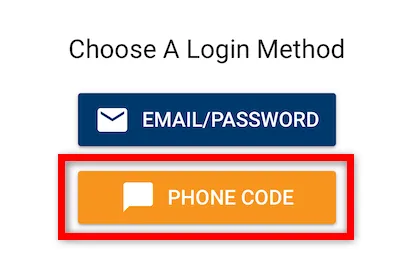
On the Choose A Login Method screen, tap the PHONE CODE button to proceed with phone number login.
-
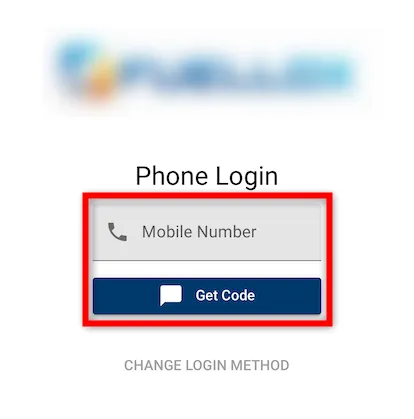
Enter your mobile number in the field provided and click the Get Code button.
-
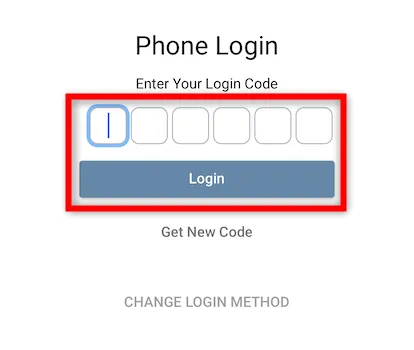
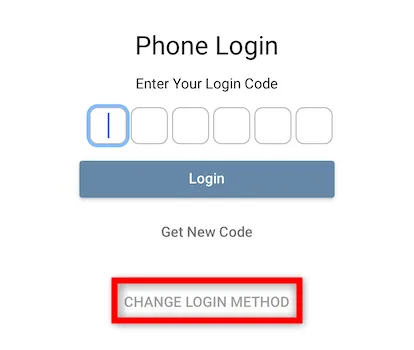
Enter the one-time login code (OTP) sent to your mobile number, then tap Login to access the app.
-
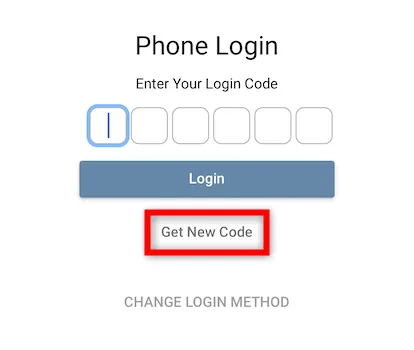
If you didn’t receive the code or it expired, tap Get New Code to request a fresh verification code via SMS.
Return to Getting Started