
Setting Odometer Requirement
This guide explains how to configure equipment to require odometer readings during refuelling. When enabled, users will be prompted to enter the odometer reading each time the equipment is refuelled.
The Issue
You need to track odometer readings for specific equipment each time it’s refuelled, but the mobile app isn’t prompting for this information.
The Solution
To enable odometer requirement for equipment, you need to configure this setting in the equipment’s details. Follow the steps below to enable the odometer requirement.
-
Navigate to any Equipment in your Fuellox system.
-
Click the EDIT button to open the equipment details for editing.
-
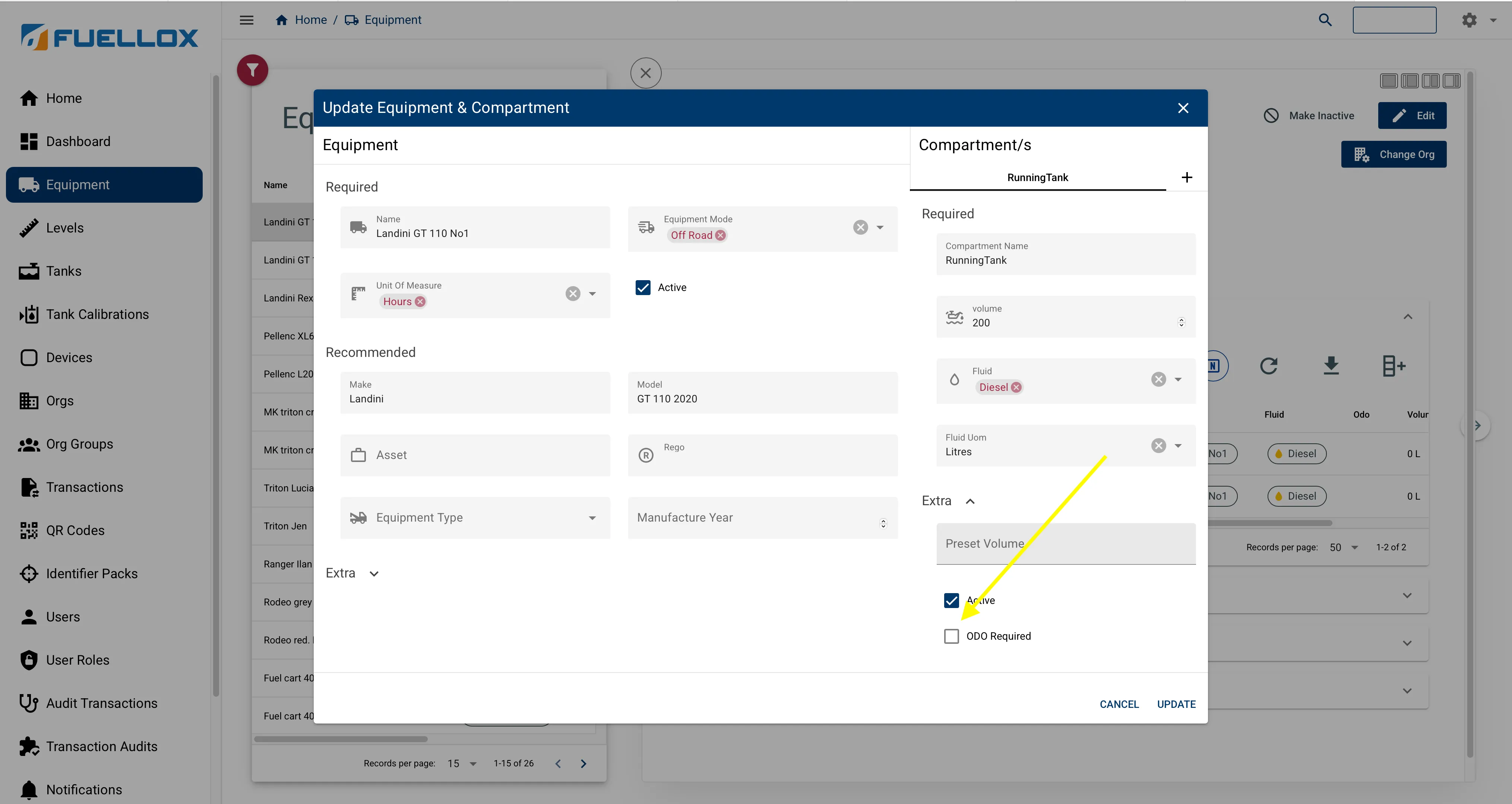
Scroll down to the EXTRA section on the compartment settings.
-
Locate the ODO Required checkbox and ensure it is ticked/enabled.
-
Save the equipment settings.
-
Each time this equipment is refuelled, the device will now require an odometer reading to be entered.
Return to Getting Started